Current TU Wien GitLab storage allowance: each project has 10 GB storage.
The Git LFS data access workflow requires datato be added to the GitLab Cookbooks “data” groupon GitLab. The data can then be accessed via the GitLab API.
The following steps explain where and how to place the data correct and how to create the URL.
Adding Data
These steps will show where to place the data and how to name it correctly.
Installation of LFS
First please install LFS using the following instructions:
https://
Use LFS for your data repository with the command:
git lfs install
Add the files that need to be checked in as LFS.
lfs track "*.csv"  # all csv files
lfs track "data/*"  # all files in data
Then proceed to commit and push you files as usual.
Create a name space for your group
Inside the TU Cookbooks directory, go to the ‘data’ subgroup:

In case your group is not listed there, click on ‘New Project’:
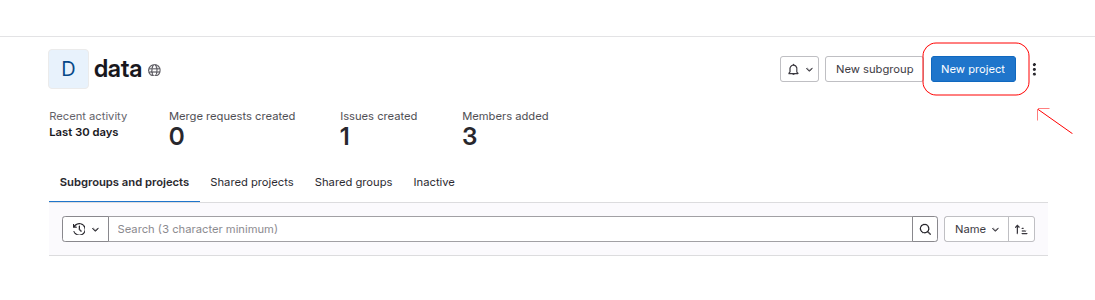
Then click on ‘Create blank project’.
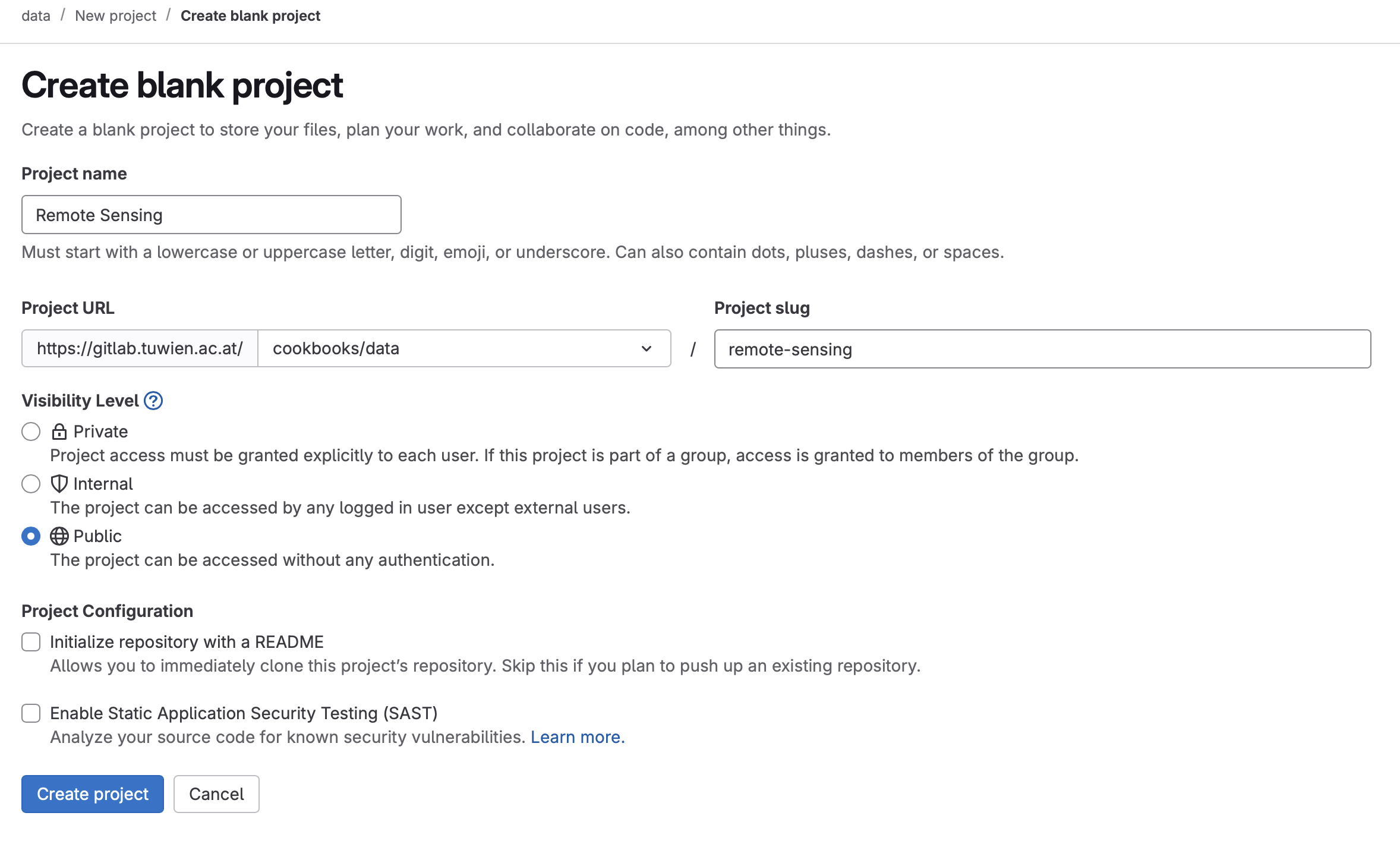
On the new page, please fill the fields ‘Project name’ and ‘Project slug’ as the same name of your Cookbook. Therefore, if your Cookbook group is called “Remote Sensing Cookbook”, your should fill both fields with “Remote Sensing Cookbook”.
Regarding the ‘Visibility Level’, please choose ‘Public’.
On the Project Configuration, do not select any of the option.
The page should look like this:
Tracking files
Next step is to clone your created new project and add your data there.
To track a file in LFS, you need to explicit tell LFS to track it. Do it via the command line with the “lfs track” command:
git lfs track "data/summary.txt"This will also update your .gitattributes file.
Lastly, you just need to add the .gitattributes and the data file to git and commit them.
git add .gitattributes
git add data/summary.txt
git commit -m "add data ... "
Accessing the data inside the notebook
Some information is required to create the URL to access the data, as the
project ID. To obtain it, please go to your created data directory and click on
the three dots located in the right corner:

Then you can complete the following URL with your project ID and data name following this structure:
"https://gitlab.tuwien.ac.at/api/v4/projects/<Your project ID>/repository/files/<Your data name>/raw?ref=main&lfs=true"For example, if your project ID is 12345 and your data is called ‘results.csv’, your path will be:
"https://gitlab.tuwien.ac.at/api/v4/projects/12345/repository/files/results.csv/raw?ref=main&lfs=true"With this URL, you can directly read it with pandas.read_csv() or using another framework of your preference.